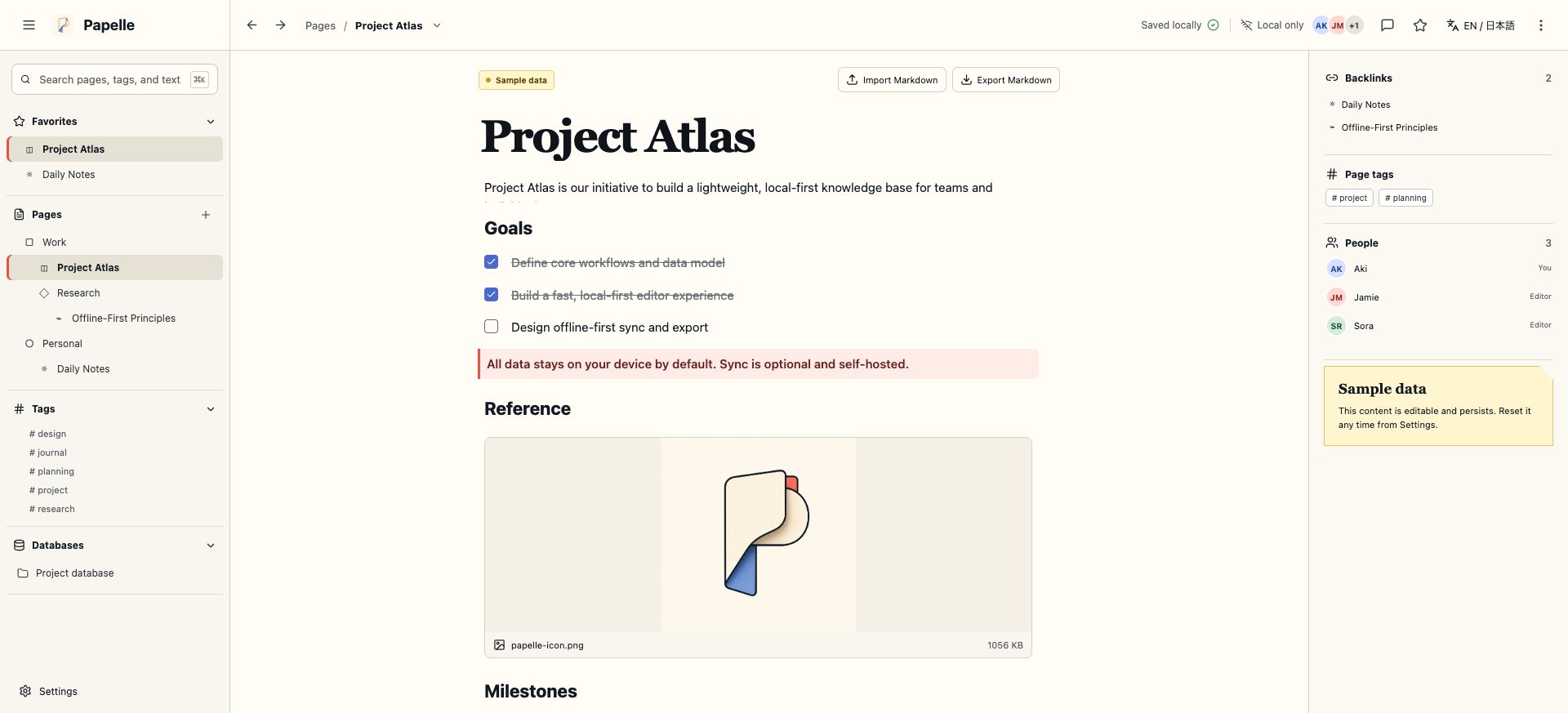
Papelle
A local-first block workspace with Markdown, attachments, linked pages, database views, and optional self-hosted collaboration.
macOS developer preview
pnpm dlx murasaki@latest demo papelleReact 19 · Vite · Rust-native
$ pnpm create murasaki@latest my-app01 · Native proof
Murasaki windows are native — a real title bar, a real menu bar, real OS chrome. Right-click anywhere and you get an actual native menu, not an HTML popup pretending to be one.
import { useAppMenu, Action } from 'murasaki'

useAppMenu([
  { label: 'File', items: [{ role: 'close' }] },
  { role: 'editMenu' },
  {
    label: 'View',
    items: [
      { label: 'Reload', shortcut: 'command,R', action: <Action.Reload /> },
    ],
  },
])
This code becomes that menu. NSMenu on macOS, HMENU on Windows.
Hello, Murasaki 🦋
The Next.js developer experience — file-based routing, server actions and native menus — in a lightweight Rust shell.
Edit src/app/page.tsx and save to reload.
Try the menus — View → Reload works.
01
A real OS window (wry) — not a browser tab, not an iframe.
02
A real application menu bar, built from the same config as your app.
03
useContextMenu(items) declares a real NSMenu / HMENU / GtkMenu — global, or scoped to one element.
02 · Why it exists
Build native desktop apps with file-based routing, server actions, and React 19 — in a Rust-native window, not Electron's Chromium. Without writing Rust.
03 · What ships today
No native code to write, no IPC to hand-wire — six things that just work out of the box.
src/app/**/page.tsx, layouts, and dynamic segments — the routing you already know from Next.js.
'use server' + defineAction / useAction — the same React 19 shape, running natively.
Next.js-style src/api/**/route.ts HTTP endpoints, no extra server to run.
A real native window, a native menu bar, and scoped native context menus — not HTML popups.
@murasakijs/ui — an accessible React Aria component library built for Murasaki apps.
Portable .app bundles with optional code signing and notarization.
04 · Try it
psst — right-click. drawing works too
In a real Murasaki app this pops a native NSMenu / HMENU. On a website? Still just HTML — we had to be honest somewhere.
05 · vs Electron / Tauri
Choose Murasaki if you know React/Next.js and want a small-footprint desktop app without learning Rust or hand-wiring IPC.
Electron
Murasaki
~1/5
of Electron's idle memory footprint.
* commonly-cited ballpark for Electron/Tauri — not a measured benchmark.
01 · UI runtime
Murasaki
OS WebView (wry)
Electron
Bundled Chromium
Tauri
OS WebView
02 · Language
Murasaki
TypeScript / React
Electron
TypeScript / React
Tauri
TypeScript + Rust
03 · DX
Murasaki
Next.js-style (Vite HMR)
Electron
Manual wiring
Tauri
Manual wiring
04 · Memory (idle)
Murasaki
~1/5 of Electron*
Electron
Baseline
Tauri
Small
05 · Server actions
Murasaki
defineAction / useAction
Electron
Manual IPC
Tauri
Manual IPC / commands
06 · Runnable apps
Run the packaged default scaffold or launch any of three independent products built from real application requirements — each in one CLI command.
Developer preview · CLI
The exact app created by create-murasaki, with native menus, file-based routes, Server Actions, API routes, and the bundled Node runtime.
pnpm dlx murasaki@latest demoThe macOS CLI selects the correct CPU build, verifies its published SHA256 and ad-hoc code signature, then explicitly removes quarantine before launch.
Each macOS developer preview selects the correct CPU build, verifies its published SHA-256 and ad-hoc signature, removes quarantine, and launches. Source remains available for inspection; these previews are not presented as notarized consumer downloads.
A local-first block workspace with Markdown, attachments, linked pages, database views, and optional self-hosted collaboration.
pnpm dlx murasaki@latest demo papelle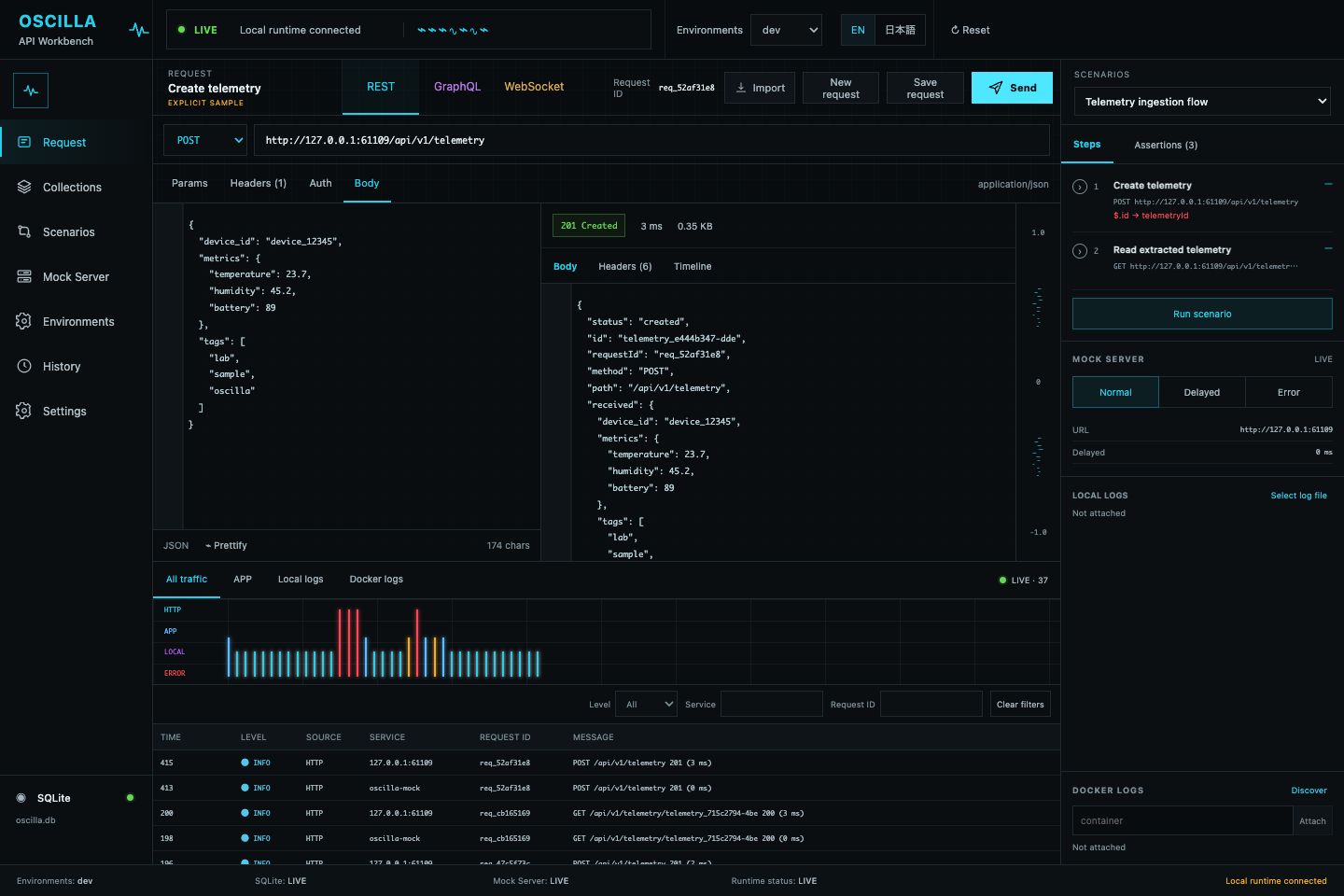
An API workbench for REST, GraphQL, WebSocket, scenarios, mock responses, and an integrated traffic timeline.
pnpm dlx murasaki@latest demo oscilla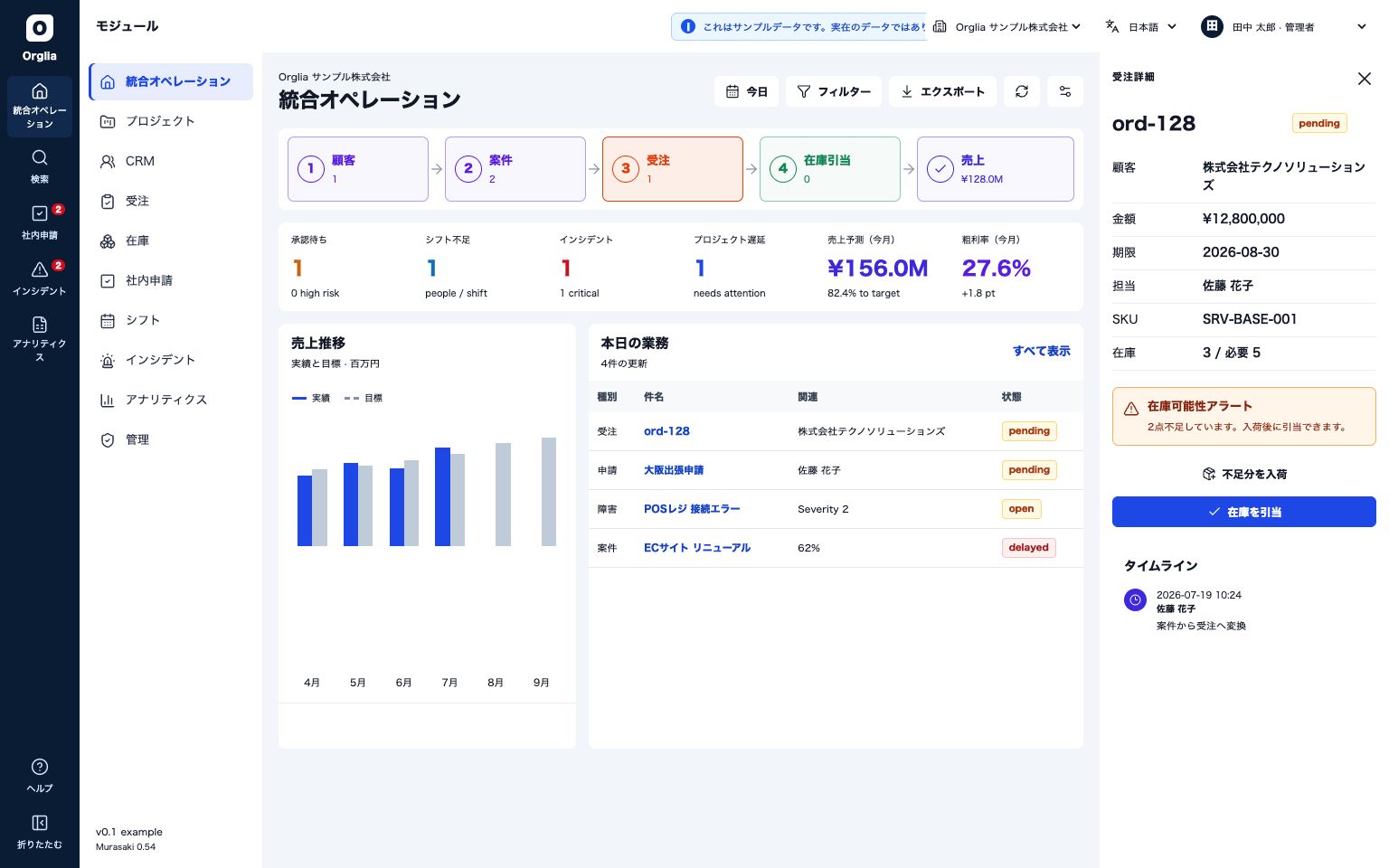
A self-hosted operations suite connecting CRM, projects, orders, inventory, approvals, shifts, incidents, and analytics.
pnpm dlx murasaki@latest demo orglia07 · Artifacts
.app / .dmg
macOS
Ships today
.app / .dmg, cross-arch (arm64 & x64), with optional code signing and notarization.
.zip / .exe / .msi
Windows
Ships today
Portable .zip plus NSIS .exe and MSI .msi installers, cross-arch (arm64 & x64).
.AppImage / .deb
Linux
Partial support
AppImage and .deb packages (x64 & arm64), with self-update for AppImage and GPG code signing (murasaki installer --sign); rpm packaging isn't shipped yet.
One command → a real native installer. macOS, Windows, and Linux (AppImage / .deb).
Murasaki
Applications
08 · Say hi
drag to spin · 100% text
Sasakia charonda — the great purple emperor, Japan's national butterfly, and this framework's namesake. Rendered in plain text, the same way the create-murasaki banner draws it in your terminal.
09 · Changelog
Security hardening across the production server, updater, and MCP
The bundled production server no longer returns internal error details to API clients, and static files are served from an allowlist built at startup, eliminating the path-traversal bug class by construction.
React Aria UI foundation
Murasaki's default UI foundation now uses React Aria Components throughout. The public @murasakijs/ui component names and familiar value-based props stay available, while focus management, keyboard interaction, selection, and overlay behavior no longer depend on Radix UI or cmdk.
the stability declaration
Every one of the 26 features in the capability manifest is now status: stable — a compatibility commitment for the current release line backed by cited test evidence, not a label change. Platform labels stay honest where an OS-level gap is real.
10 · Three commands
pnpm create murasaki@latest my-apppnpm devpnpm bundleReact 19, file-based routing, and server actions — in a real native window. No Rust required.
$ pnpm create murasaki@latest my-app